Separate files.
One complete packet.
Bring client PDFs together, arrange the pages and create one organized file. Keep the finished packet connected to the rest of your office work.
Full access. No credit card required.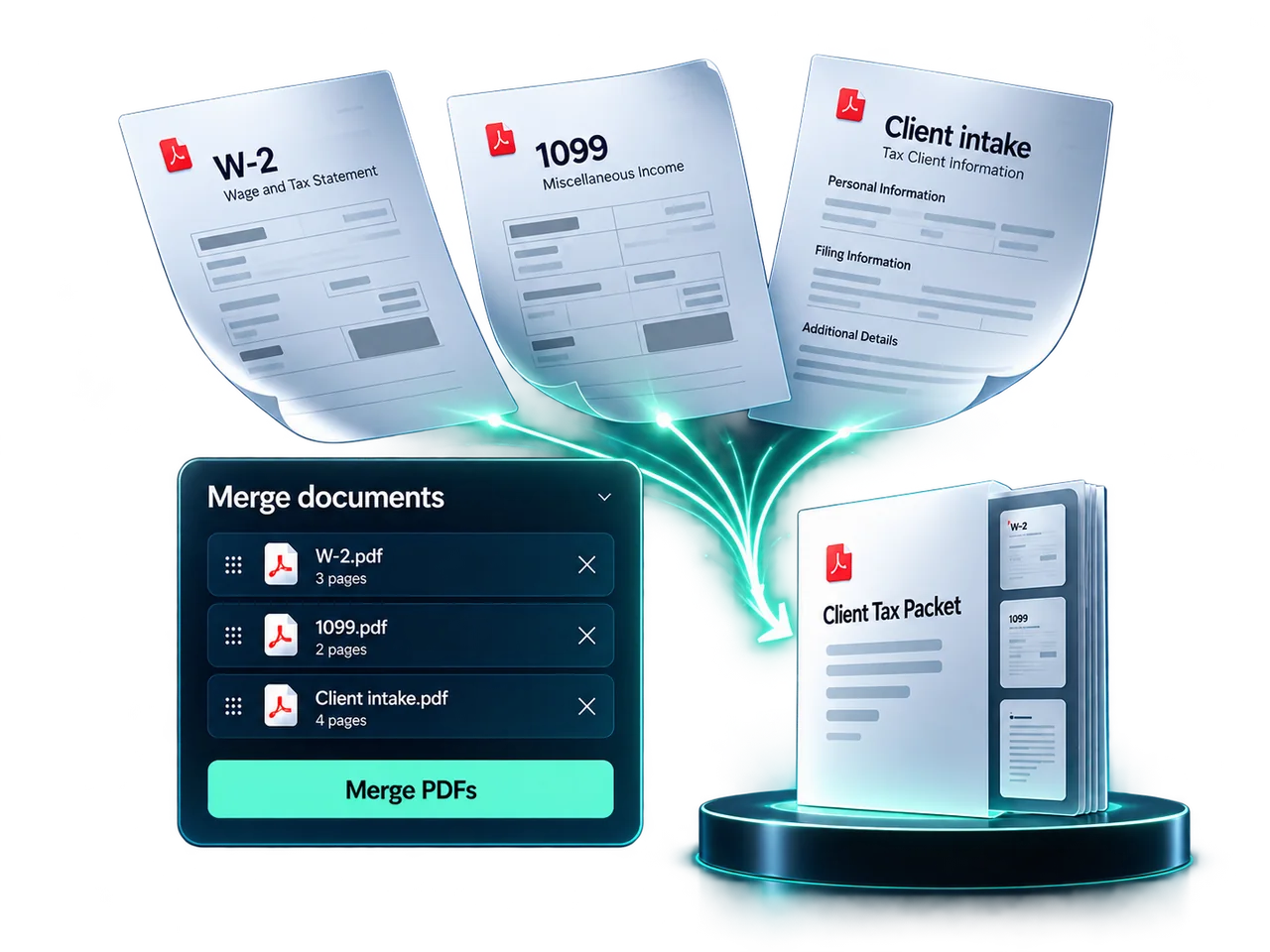
Bring files together
Combine separate PDFs into one packet.
Choose the order
Put every page where it belongs.
Keep the context
Use the finished file in your client workflow.
Put Jason’s documents in the right order.
Select the sample PDFs, move them into order and review the combined packet before the next step.
Jason Parker · Client packet
Use Jason’s sample intake, W-2 and engagement letter. No personal files are needed.
Start the example to arrange the sample PDFs.
Interactive packet preview · This demonstration combines sample page descriptions, not real PDF binaries. No files are uploaded, merged or downloaded. Your choices follow Jason’s connected journey in this tab.
One file to send
Bring the intake, tax forms and supporting PDFs together in one file your client can follow.
Every page in place
Arrange the documents before you merge, so the finished packet follows the right sequence.
Connected to your office
Choose files from Document Manager, then save the completed packet back to your workspace.
See the workflow.
Skip the guesswork.
Watch TAAX's document tools in action, from managing files to preparing your next client packet.
Three simple steps.
One complete packet.
Build the file you want to send, with a clear view of what goes in and how it comes together.

01 Add your PDFs
Upload files or choose documents already in Document Manager.

02 Put pages in order
Reorder files and individual pages, then preview the sequence.

03 Merge, then choose
Download your finished PDF or save it to your TAAX documents.
Keep the packet.
Keep the context.
Start with PDFs already in Document Manager. Save your merged file back to TAAX so the next step stays close to your client's documents.
- Select existing PDFs
- Preview your completed packet
- Save to TAAX or download
Document Manager
Search documents: Johnson
Client files / JohnsonJohnson_2025_Tax_Packet.pdf
Johnson_2025_Tax_Packet.pdf
9 pages · Combined from 3 PDFsA finished file is just the beginning.
Keep the work moving with the tools around PDF Merge.
Client Portal
Give clients a connected place to manage the work with your office.
Explore the portalPDF Merge, answered.
A simpler way to bring your client's documents together.
Less file juggling.
More getting it done.
Bring your PDFs together and keep your client work moving in TAAX.